How to Use an AI Cost Calculator(Step-by-Step)
Written by
Atomic Build Team
Reading time: ~7 min
Estimating AI costs shouldn’t require spreadsheets, guesswork, or a deep understanding of tokens
This guide walks through exactly how to use our AI Cost Calculator to model usage, compare models, and understand what your AI spend will look like per request, per user, or at scale.
Whether you’re a product manager, founder, or finance leader, this walkthrough helps you answer one question clearly:
“How much will this actually cost?”
Use the AI Cost Calculator to model your scenario
Who This AI Cost Calculator Is For
This tool is designed for:
- Product & engineering leaders planning AI features
- Founders comparing models before shipping
- Finance teams forecasting monthly AI spend
- Non-technical stakeholders who need clear cost visibility
If you’ve ever asked:
- “Why did our AI bill spike?
- “Which model is cheaper at scale?”
- “How many users can we support on this budget?”
You’re in the right place.
Step 1: Choose How You Want to Calculate Usage
Calculate by Tokens, Words, or Characters
Most AI providers price by tokens, but not everyone thinks in tokens.
The calculator lets you switch between:
- Tokens (most accurate for billing)
- Words (helpful for content-heavy use cases)
- Characters (useful for logs, documents, or chat history)
If you’re unsure, start with tokens. That’s how providers bill.
Step 2: Enter Your Usage Input
Core Inputs Explained
| Input | What It Means |
| Input tokens | Text you send to the model (prompts, context, history) |
| Output tokens | Text the model generates |
| Number of API calls | How many times the model is called |
| Country | Filters providers by availability |
| Provider | Compare across AI vendors |
| Currency | View costs in your preferred currency |
Example:
If your app sends ~1,000 tokens and receives ~500 tokens per request, and you expect 10,000 requests per month — plug those numbers in directly.
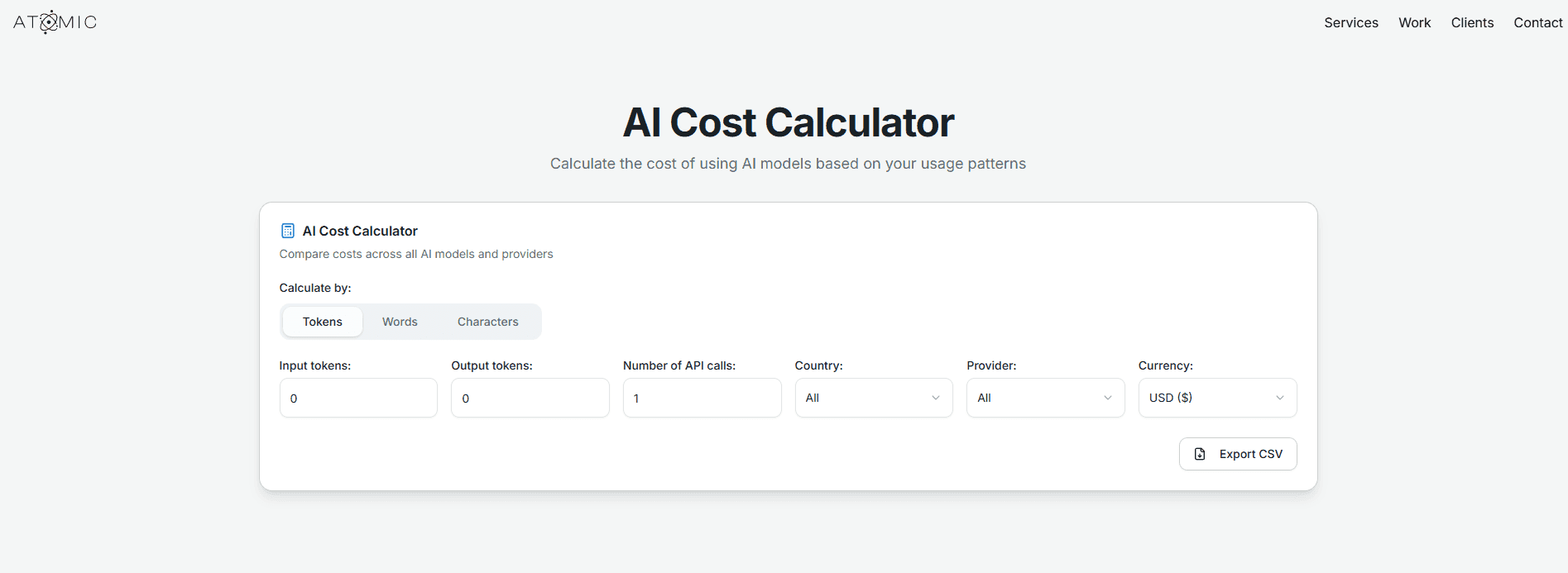
Use the calculator to model your real usage
Step 3: Estimate Tokens From Real Text
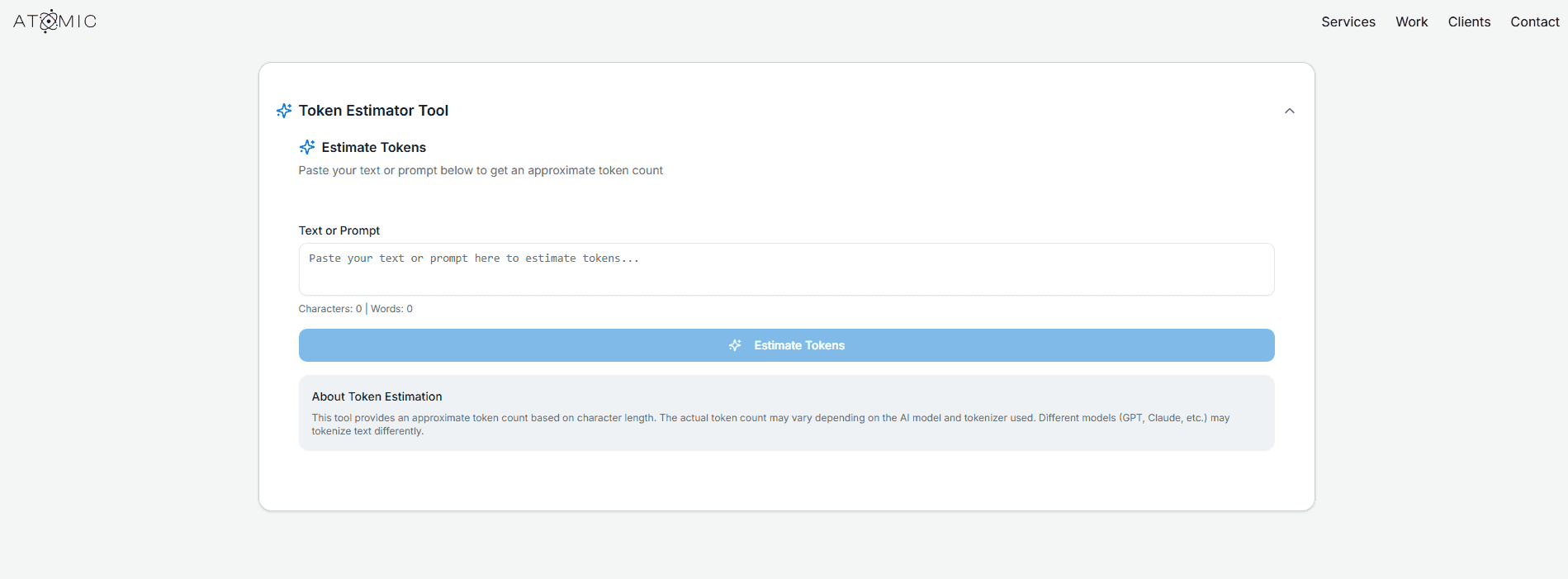
Token Estimator Tool
Not sure how many tokens your prompts actually use?
Paste real text (prompts, chat history, system instructions) into the Token Estimator Tool to get:
- Approximate token count
- Word count
- Character count
This is especially useful for:
- Long system prompts
- RAG pipelines
- Multi-turn chat applications
Step 4: Read and Compare the Results
Understanding the Results Table
The results table shows side-by-side pricing across models, including:
- Input price per 1M tokens
- Output price per 1M tokens
- Price per API call
- Total estimated cost for your inputs
This makes it easy to spot:
- Which models scale cheaply
- Which models get expensive fast
- Where output tokens dominate cost
Example Comparison
Let’s say you’re building an AI customer support assistant inside a SaaS product.
Scenario
- Monthly AI requests (API calls): 60,000
- Avg input tokens per call: 1,200
- Avg output tokens per call: 300
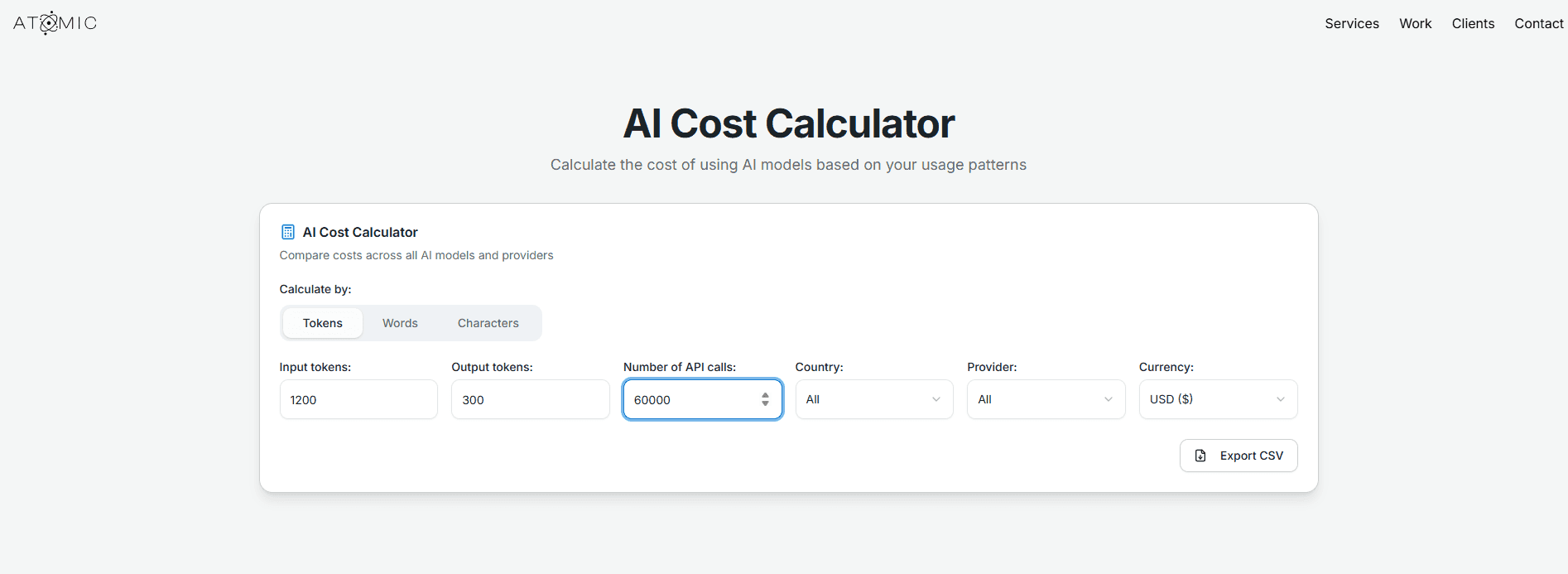
Token totals for the month
- Input tokens: 60,000 × 1,200 = 72,000,000 (72M)
- Output tokens: 60,000 × 300 = 18,000,000 (18M)
Now you can compare models using the tool’s “price per 1M tokens”.
Results Table
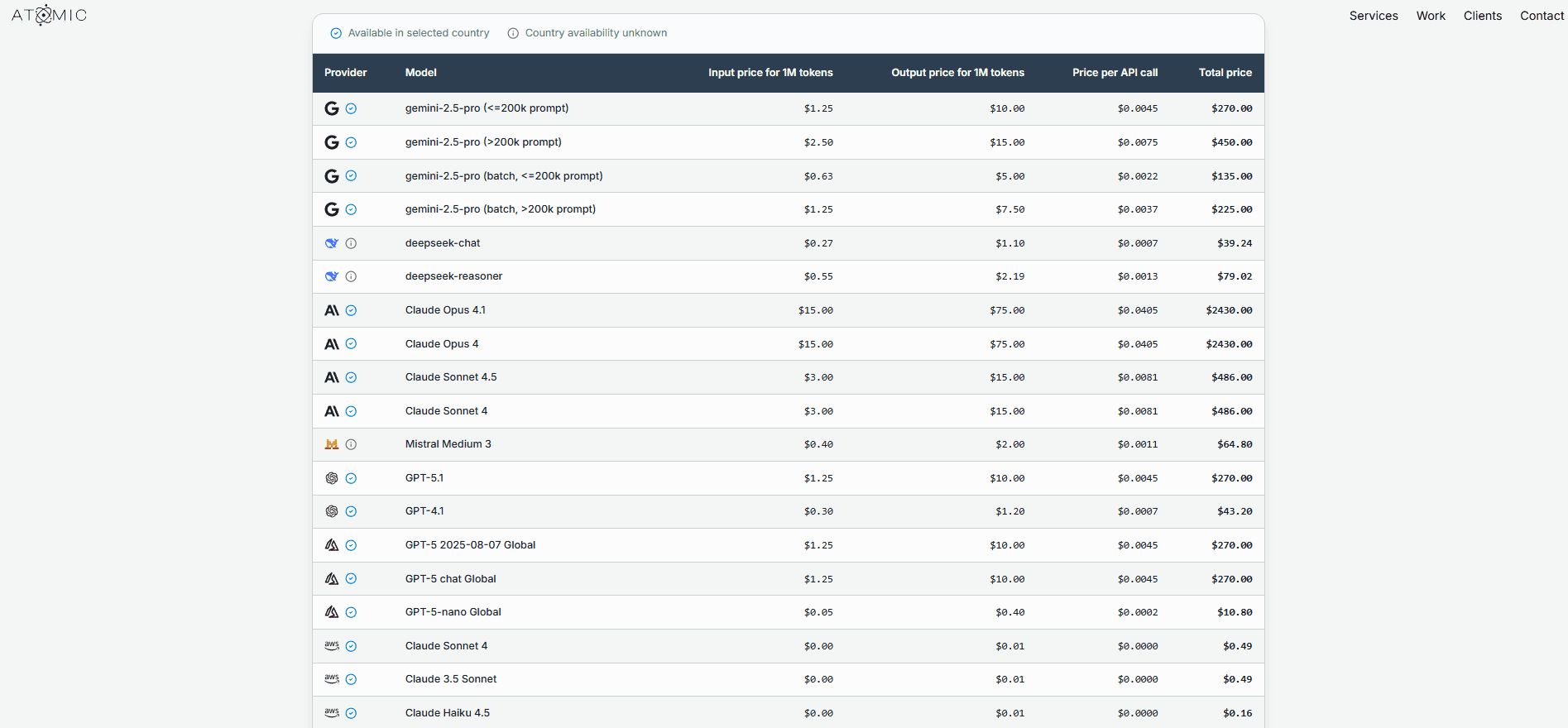
What this shows
- Models can look close at small scale, but diverge massively at real usage.
- Output tokens matter long answers can double your cost quickly.
- For many products, a common strategy is:Use a cheaper model for most requestsRoute “hard” queries to a premium model
Use the calculator to model your scenario
Then try changing just one variable (output tokens, calls/month, or model) to see what moves your budget fastest.
Step 5: Model What Happens at Scale
Once you understand per-request cost, ask:
- What happens if usage doubles?
- What if we change models?
- What if average response length increases?
The calculator lets you quickly:
- Swap models
- Increase API calls
- Adjust token counts
Common Mistakes This Tool Helps Avoid
- Underestimating output token costs
- Choosing a model that doesn’t scale financially
- Forecasting based on “average” prompts instead of real usage
- Surprises when usage spikes
What to Do Next
Once you’ve modeled your scenario:
- Try swapping to a smaller or cheaper model
- Reduce unnecessary prompt context
- Cap output length where possible
- Re-run the calculator with realistic growth assumptions